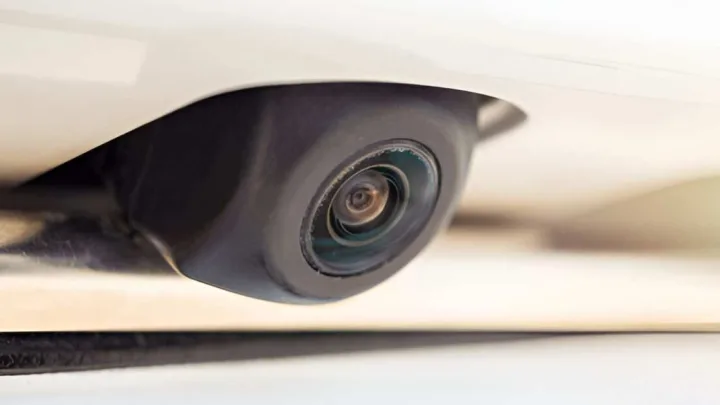
Why Backup Cameras Are Worth It (in plain English)
A backup camera helps you see what mirrors can’t. It reduces blind spots when reversing, makes parking easier, and adds day-to-day confidence, especially in tight spaces and busy neighborhoods.
2026 Cost Breakdown (Camera + Installation)
1) Backup Camera Unit Price (parts only)
Prices vary mainly by image quality, low-light performance, lens angle, and whether it includes a screen.
-
Basic camera-only kits: ~$20–$80
-
Mid-range kits (better night vision, wider angle): ~$80–$200
-
Premium systems (higher-quality imaging, better hardware): ~$200–$600+
Amazon listings show many popular kits in the low-to-mid range, with “plug-and-play” monitor bundles also common.
2) Professional Installation Cost (labor)
If you want it installed for you, professional labor is often the biggest “variable.”
-
National chain installs: commonly ~$130–$150 for a basic backup camera install (hardware not included).
-
Typical pro total (parts + labor): $150–$400 for many vehicles and standard setups.
-
Complex installs (factory-screen integration, heavy trim work, special vehicles): can exceed $600+.
Pricing Table: What You’ll Pay in Real Life (2026)
| Setup Type | Best For | Typical Parts Cost | Typical Install Cost | Typical Total |
|---|---|---|---|---|
| Camera-only (uses existing screen/head unit) | Cars with compatible displays | $50–$200 | $130–$200 | $180–$400 |
| Camera + small monitor kit | Older cars without screens | $60–$250 | $130–$250 | $190–$500 |
| Premium + integration-heavy | Factory look / advanced setup | $200–$600+ | $200–$400+ | $400–$1,000+ |
Note: These are common U.S. ranges. Local labor rates and vehicle complexity change the final bill.
What Affects Installation Cost the Most
Camera type: wired vs wireless
-
Wired is often more reliable and consistent in image quality. Install can take longer due to routing cables.
-
Wireless can be easier in theory, but some setups face interference or stability issues depending on the system and vehicle.
Your vehicle (easy vs “why are there 47 clips here?”)
Costs go up when installers need more time to:
-
route cables through trunks/hatchbacks
-
remove interior trim carefully
-
integrate with factory infotainment
Display needs
If your car already has a compatible screen, you may only need the camera and wiring. If you need a monitor/head unit, costs rise fast (more parts + more labor).
DIY vs Professional Installation (Choose the smart path)
DIY makes sense if:
-
you’re comfortable removing panels and routing wires
-
you have time to troubleshoot
-
you’re installing a simple kit with a separate monitor
DIY cost: often just the kit price (commonly under ~$200 for many bundles).
Professional installation makes sense if:
-
you want clean factory-like wiring and mounting
-
you’re integrating with an existing head unit
-
you don’t want electrical guesswork
National chains often advertise straightforward install pricing for basic setups, with the camera purchased separately.
Hidden Costs People Forget (and then get surprised by)
These are the “small add-ons” that can nudge your total up:
-
Wiring harness/adapters (especially for certain head units)
-
Extension cables for long vehicles (SUVs/trucks)
-
Mounting brackets or license-plate frames
-
Upgraded display if you don’t have one
-
Extra labor for difficult routing/integration
Choosing the Right Backup Camera (2026 buyer checklist)
For ranking and real usefulness, keep this section tight and practical.
Features that matter most
-
Clear image quality (resolution + contrast)
-
Low-light performance/night visibility
-
Wide viewing angle (without extreme distortion)
-
Weather resistance (look for strong waterproof ratings)
-
Parking guidelines (fixed lines are common; dynamic lines depend on system)
If you want updated product comparisons, publications test and rank current models and explain what to look for (image quality, low-light, wired vs wireless).
Money-Saving Tips (without buying junk)
-
Start with your car’s screen situation
If you already have a compatible display, you can often save by skipping a separate monitor. -
Compare install quotes
A local car audio shop may price differently than a national chain. Ask what’s included: routing, trim reassembly, warranty. -
Bundle when you’re already doing a head unit upgrade
If you’re installing an aftermarket head unit anyway, adding the camera at the same time may reduce duplicated labor. -
Avoid “too-cheap wireless” if reliability matters
A flaky video feed is not a bargain. Wired is often the “set it and forget it” option.
Conclusion (AEO-friendly wrap-up)
In 2026, most drivers in the U.S. should budget $150–$400 total to add a backup camera, with basic professional installation often around $130–$150 (camera cost separate at many providers). If you need a new display or a complex factory integration, costs can climb to $600+. Choose a setup that matches your car’s display, prioritize clear image quality and low-light performance, and you’ll get the safety benefit without overspending.
Frequently Asked Questions (FAQ)
How much does it cost to install a backup camera professionally in 2026?
In the U.S., many professional backup camera installs typically fall around $150–$400 total (parts + labor). Complex integrations or premium systems can cost more.
How much is installation only at national chains?
Basic backup camera installation at national providers is often listed around $130–$150 for labor only, with the camera hardware purchased separately.
What is the cheapest way to add a backup camera?
The cheapest option is usually a DIY kit, especially if it includes a small monitor and you already have basic tools. Your total may be close to the kit price.
Is wired or wireless backup camera better?
Wired systems are often more consistent and reliable. Wireless can be easier to install in some cases, but it may be more sensitive to interference depending on the system.
Why do installation costs vary so much?
Costs vary based on your vehicle, how hard it is to route wires, whether you need a display or head unit, and whether the camera must integrate with a factory infotainment screen.
Do I need a screen to use a backup camera?
Yes, you need a way to view the camera feed. If your car does not have a compatible screen, you can use a kit with a standalone monitor.
How much does it cost if I need a new display or head unit too?
If you need to add a display or head unit, the total cost can rise significantly, commonly into the $300–$800+ range depending on parts and labor.
Can a backup camera be installed on an older car?
Yes. Many aftermarket kits are designed for older cars and often include a separate monitor, making them a common upgrade for vehicles without infotainment screens.
How can I save money on backup camera installation?
Compare installer quotes, bundle the camera install with a head unit upgrade if you are already doing one, and choose a setup that matches your vehicle’s existing display to avoid unnecessary parts.
Disclosure
Some links may be affiliate links. That means we may earn a small commission at no extra cost to you.