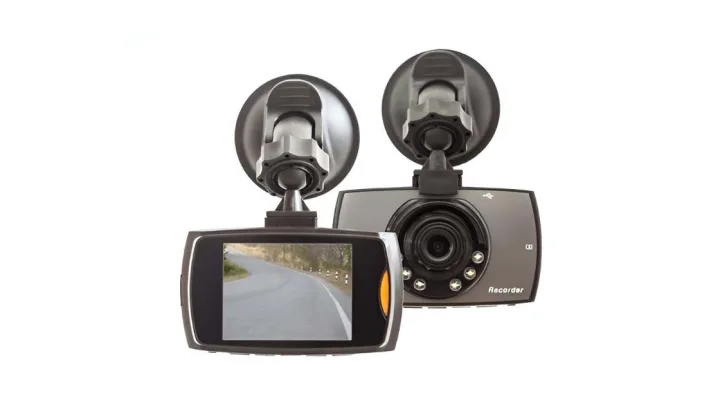
Which Is the Best Dashboard Camera to Buy in 2026? Top Picks Revealed
A dash cam is your quiet passenger that never blinks. It can save you during insurance disputes, document hit-and-runs, and add real peace of mind when you park in public lots.
But “best dash cam” depends on your driving life: daily commuting, rideshare, road trips, or leaving your car outside overnight. So instead of crowning one camera and forcing it onto everyone, this 2026 guide gives the best pick for each real-world need, plus a simple way to choose in under 2 minutes.
Top Picks for 2026 (shortlist you can buy with confidence)
Best Overall Pick (Front + Rear balance)
Viofo A229 Pro (2-Channel)
-
Why it wins: dual-channel coverage (front + rear), strong clarity and HDR approach, and it’s widely discussed among enthusiasts as a “sweet spot” for evidence quality without cloud subscriptions.
-
Best for: commuters, families, highway drivers, anyone who wants full coverage without overspending.
Best Budget Pick (small, discreet, dependable)
Garmin Dash Cam Mini 3
-
Why it wins: compact footprint, simple daily use, and a clean “set it and forget it” vibe for people who don’t want tech drama on their windshield.
-
Best for: first-time dash cam buyers, city drivers, people who want discreet recording.
Best Premium 4K Pick (sharp evidence, modern experience)
Garmin Dash Cam X310
-
Why it wins: 4K recording, a wide field of view, and an easy-to-use touchscreen approach from a major brand with stable support.
-
Best for: drivers who want premium usability + strong image quality.
Best Smart/Cloud-Connected Pick (features-first)
Nextbase iQ (smart dash cam platform)
-
Why it wins: standout “smart” features and cloud-style convenience (note: subscription models may apply depending on configuration).
-
Best for: tech-heavy users who want remote access and alerts.
Best “Traditional Feature-Rich” All-Rounder (popular in retail ecosystems)
Nextbase 622GW
-
Why it wins: strong 4K headline recording and broad consumer familiarity, with lots of real-user feedback across major retailers.
-
Best for: buyers who trust mainstream brands and want 4K capability.
Note: Availability and “best price” change often. The picks above are chosen for reliability, support, and evidence quality over hype.
Comparison Table (fast decision helper)
| Pick | Best For | Video | Channels | Key Strength | Tradeoff |
|---|---|---|---|---|---|
| Viofo A229 Pro | Best overall value | 4K front + 2K rear | 2CH | Great evidence + balanced features | Less “cloud-first” than smart platforms |
| Garmin Mini 3 | Budget + discreet | 1080p | 1CH | Tiny, simple, reliable | Not 4K; single-channel |
| Garmin X310 | Premium usability | 4K | 1CH | Touchscreen + 4K clarity | Higher price; single-channel |
| Nextbase iQ | Smart features | (varies by config) | (varies) | Cloud/smart ecosystem | May require subscription |
| Nextbase 622GW | Mainstream 4K | 4K front | 1CH (rear optional) | Popular + feature rich | Rear add-on records lower res |
What to Look For in a Dash Cam (2026 buyer guide)
1) Video quality that actually helps in disputes
-
1080p is the minimum for basic evidence.
-
1440p improves detail, often with manageable file sizes.
-
4K can help with distant details, but only if the camera handles heat well and uses good processing.
2) Night performance beats “spec sheet bragging”
Look for:
-
HDR/WDR (helps glare and headlights)
-
strong sensor reputation
-
real night samples in reviews (not just daytime demos)
3) Parking protection (most people forget this part)
Parking mode can record:
-
impacts (G-sensor)
-
motion events
Often needs: -
hardwire kit or a battery/solar solution, depending on the camera.
4) Storage reliability (the silent failure point)
-
Use high-endurance microSD (dash cams overwrite constantly)
-
Format on a schedule (many brands recommend periodic formatting)
-
Enable loop recording so old footage overwrites safely
5) Front + rear coverage if you drive in traffic
Rear footage matters in:
-
tailgating incidents
-
rear-end claims
-
parking lot bumps
Dash Cam Installation Tips (clean + safe)
Best placement
-
Mount high and centered behind the rearview mirror (best road view, minimal distraction).
-
Confirm it doesn’t block sensors or your sightline.
-
Check your local/state rules for windshield mounts.
Power setup options
-
12V outlet: easiest, but may not support full parking mode.
-
Hardwire kit: cleaner install + unlocks parking mode in many setups.
Setup checklist (2 minutes)
-
Set date/time and enable loop recording
-
Set resolution + HDR/WDR if available
-
Confirm audio recording preference (legal varies)
-
Record a 30-second test clip day + night
Maintaining Your Dash Cam (so it works when you need it)
-
Monthly: check lens cleanliness + mount stability
-
Every 4–6 weeks: format SD card (if the brand recommends it)
-
Seasonally: verify summer heat performance (heat is a common cause of resets)
Final Verdict (simple recommendations)
-
Want the best overall “evidence machine” for most drivers? Viofo A229 Pro (front + rear) is the most balanced choice.
-
Want small, simple, and budget-friendly? Garmin Dash Cam Mini 3.
-
Want premium 4K + easy touchscreen controls? Garmin Dash Cam X310.
-
Want smart/cloud features? Nextbase iQ, just factor in subscription expectations.
Frequently Asked Questions (FAQ)
Which is the best dashboard camera to buy in 2026?
For most drivers, the best choice is a reliable front-and-rear dash cam with strong night video and stable file saving. Viofo A229 Pro is a top overall balance, while Garmin Mini 3 is a great budget pick and Garmin X310 is a premium 4K option.
Is a 4K dash cam worth it?
A 4K dash cam can help capture distant details, but it also creates larger files and can run hotter. For many drivers, strong night performance plus HDR/WDR is more important than 4K alone.
Do dash cams record when the car is parked?
Yes, if the dash cam supports parking mode. Many setups need a hardwire kit or a dedicated battery/solar solution to record while parked without draining the car battery.
What’s the best dash cam for beginners?
A compact, simple model with automatic incident saving and an easy app is best for beginners. Garmin Dash Cam Mini 3 is a popular beginner-friendly option because it’s discreet and easy to use.
Should I buy a front-only or front-and-rear dash cam?
Front-and-rear is better if you drive in traffic, park in public places, or want stronger protection for rear-end claims. Front-only is fine for basic evidence and lower cost.
What SD card should I use for a dash cam?
Use a high-endurance microSD card designed for constant recording. Dash cams overwrite footage continuously, so regular cards can fail sooner.
Where should I mount a dash cam?
Mount it high and centered behind the rearview mirror so it captures the road without blocking your view. Keep it within legal mounting areas for your state.
How long does dash cam footage stay saved?
Most dash cams use loop recording, which overwrites older footage when the card fills up. Important clips are usually locked automatically during incidents or can be saved manually.
Disclosure
Some links may be affiliate links. That means we may earn a small commission at no extra cost to you.